
Last Updated on November 20, 2026 by Zahid Zubair
BISP biometric verification failed is the most common reason a beneficiary stands at the payment point, is told she is eligible, and still walks away without her money. The thumbprint does not match, the machine says no, and nobody at the counter can explain why. Your payment is not cancelled when this happens — it is paused. The money stays in your name until your identity is confirmed. This guide gives you the fixes in the order that works: what to try at the counter in the next five minutes, how to update your fingerprints at NADRA, the Rs. 20 facial certificate for prints that will never match, and what to do at the Tehsil Office if everything fails. No fix here costs an agent’s fee, because no official fix needs one.
Last checked: 19 November 2026.
| What it means | BISP biometric verification failed — your thumbprint did not match the NADRA record, so the payment point cannot confirm you are the registered beneficiary |
|---|---|
| Is the payment cancelled? | No — it is paused until your identity is confirmed |
| Current payment | Rs. 14,500 per quarter, October–December 2026 |
| First fix (at the counter) | Clean, dry hands; try another finger; try a different machine |
| Main fix | Update your fingerprints at a NADRA centre, then try again |
| Backup fix | NADRA facial recognition certificate — Rs. 20, valid 7 days — submit at the BISP office |
| Office fix | Register the failure at your BISP Tehsil Office with your original CNIC |
| Agent fee | None — every official fix is free or a small official charge. Never pay an agent to “fix” it |
| Helpline | 0800-26477 (free) |
Why BISP biometric verification failed happens
There is rarely one reason for BISP biometric verification failed, and the fix depends on which one it is. The cause can be your skin, your NADRA record, or the machine itself.
The most common cause is worn fingerprints. This hits older women and women who do manual work — washing, cooking, farm work, cleaning — hardest. Years of hard use wear the ridges of the thumbprint down until the scanner cannot read them clearly. If your print fails every time, at every payment point, even with clean hands, worn prints are the likely cause. Trying another finger sometimes works on the day, because one finger may have worn less than the thumb — but the lasting answer is a fresh fingerprint record at NADRA.
The second cause is an out-of-date NADRA record. If your fingerprints were recorded many years ago, or recorded poorly at the time, the stored print may no longer match your thumb today. The problem is in the record, not in your thumb. The sign is failure over weeks, at different payment points, after trying different fingers. Only NADRA can correct it, by taking a fresh scan and updating the stored record.
The third cause is the day itself: dry skin, dust, henna, or a dirty scanner. Henna (mehndi) on the thumb blocks the scan completely — if you have fresh henna, do not go to the payment point until it has faded. Very dry skin also reads badly, which is why a little moisturiser or a drop of oil on the thumb sometimes helps. And sometimes the machine is the problem: a dirty scanner glass, a weak device, or a busy network. That is why trying a different machine at the same point, or a different payment point, is always worth doing before you travel anywhere else.
Two other things can look like a BISP biometric verification failed result but are not. An expired CNIC can stop verification — check the expiry date on your card first, and renew it at NADRA if it has passed. And a payment can be “released” on the portal but not yet in your wallet because your district’s turn has not come — payments are being released district by district from 12 November 2026, so a failure to collect is sometimes a timing problem, not an identity problem. Check your status on 8171.bisp.gov.pk or by SMS to 8171 before you assume the fingerprint is the issue.

Fix 1: At the payment point — five things to try before you leave
If BISP biometric verification failed at your payment point, do these in order, at the counter, before you accept that the verification has failed for good.
- Wash and dry your hands. Clean your thumb and fingers with water, dry them completely, and try again. Wet hands read as badly as dirty ones — dry is what the scanner wants.
- Try another finger. If the thumb fails twice, try the index finger of the same hand, then the other hand. NADRA holds prints for all fingers, and one may read clearly when the thumb does not.
- Try a different machine. Ask the retailer to try another device, or go to another authorised retailer of the same bank. A dirty or weak scanner fails good prints.
- Moisturise dry skin. If your hands are very dry or cracked, rub in a little moisturiser or a drop of cooking oil, wait a minute, wipe off the excess, and try again. This is a same-day trick, not a cure — if it works, still plan the NADRA update below, because the problem will come back.
- Check the henna and the card. Fresh henna on the thumb means the scan cannot work — come back after it fades. And check that your CNIC has not expired; an expired card stops the whole process.
If none of these work, do not keep trying all day. Repeated failed attempts do not help, and the retailer cannot override the system. Note the date, keep any receipt the retailer gives you, and move to Fix 2. And do not hand your CNIC or phone to anyone at the counter who offers to “fix it from inside” for a fee — that is a scam, and no retailer can fix a NADRA record.
Fix 2: Update your fingerprints at NADRA — the main fix
If BISP biometric verification failed more than once, on more than one day, the lasting solution is to update your fingerprints in the NADRA record. This is the fix BISP itself points women to: in a meeting between BISP and NADRA on 5 November 2025, NADRA confirmed it will help beneficiaries whose biometric verification fails again and again.
Go to your nearest NADRA centre with your original CNIC — a photocopy will not do. Tell the staff at the start that your fingerprints are not verifying for BISP payments. They will re-scan your fingerprints and update your record, capturing the clearest print available — sometimes from a different finger that has worn less.
Two honest warnings. First, NADRA advises waiting 24 hours after a failed biometric before trying again, and a full record update can take up to 72 hours to show in the system — so do not go straight from NADRA back to the payment point the same hour and expect it to work. No official fixed time has been announced, so ask the counter what the wait is in your case. Second, NADRA has not officially announced a fee for the fingerprint update. Do not trust a fixed price from any agent or blog. If anyone at or around the centre asks you for money to “update your record fast”, say no and report it.
Once the update is processed, return to the payment point and try the verification again. For most women, this is where the problem ends.

Fix 3: The NADRA facial certificate — Rs. 20, valid 7 days
If BISP biometric verification failed even after the NADRA update, do not give up. This route opened in 2026, and it exists for exactly your case — fingerprints too worn to match.
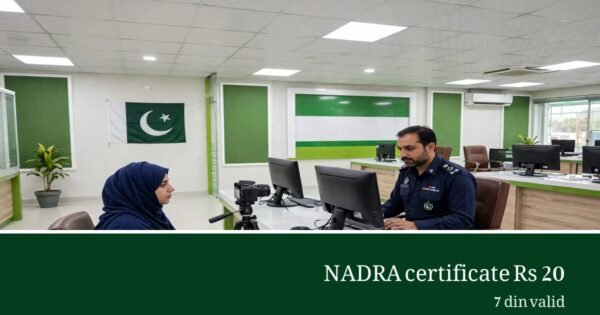
From 20 January 2026, NADRA issues facial recognition-based biometric verification certificates at all its registration centres for citizens whose fingerprint verification is not possible. NADRA announced it on 31 December 2025, when the government amended the National Identity Card Rules to recognise facial and iris scans as valid biometric identifiers alongside fingerprints. The certificate costs Rs. 20, and it is valid for seven days.
Here is how it works. Go to a NADRA registration centre and explain that your BISP fingerprint verification has failed, even after a fingerprint update if you have done one. NADRA takes a fresh photograph, matches it against the photograph on your record, and issues a certificate carrying your CNIC number, your name, your father’s name, a tracking ID and a QR code. Take that certificate to your BISP office at once — do not let the seven days pass. BISP verifies the certificate online through NADRA and records it, and then your payment can be released. BISP’s own Kafaalat payment guide says the same thing in plain words: if the thumbprint fails, get the facial-recognition certificate from NADRA for Rs. 20 and submit it at the BISP office, after which you can receive the payment.
Two things to get right. First, the seven days start when the certificate is issued, not when you decide to use it — go to NADRA and the BISP office in the same week, and do not wait for the next payment round. Second, the certificate is a fallback for people whose prints cannot be read. It is not a shortcut around the fingerprint update: if your prints can be updated, Fix 2 is still the better answer, because the certificate expires and the updated record does not.
Fix 4: The Tehsil Office — when everything else fails
If the counter fixes did not work, the NADRA update did not work, and even the facial certificate route has not released your payment, go to your nearest BISP Tehsil Office. This is the formal route, and it is where a stuck case gets traced instead of retried.
Take your original CNIC, any receipt from the payment point, and the NADRA certificate if you have one. Tell the staff that your BISP biometric verification failed at the payment point, what you have already tried, and on which dates. Ask them to register the failure and re-verify your record. Keep the complaint or tracking number they give you, and the name of the person who took it. If the office asks you to come back, ask on which date, and keep that date.

What the Tehsil Office can also check is whether something else is blocking you that looks like a biometric problem. A SIM that is not in your own name means the wallet cannot be linked to you properly — the clean fix is the free Benazir SIM from a BISP office, in your own name, as our SIM wallet guide explains. A survey record that needs re-doing after three years of stipends can also hold a payment. And if your payment shows as released on the portal but your wallet balance is still zero, our wallet balance check guide walks through the five checks in order. The wider guide for every no-payment cause is our verified-but-no-payment guide — this article is the biometric chapter of that problem, and it links to it rather than repeating it.
One more question to ask while you are there: your wallet bank’s branch also has its own assisted verification process for customers whose fingerprints fail. Ask at the branch of the bank that holds your wallet — HBL, Bank Alfalah, Bank of Punjab, Habib Microfinance Bank, Easypaisa or JazzCash — what they offer. We have not verified a single named scheme across all six banks, so treat what the branch tells you as the answer for your bank, not as a nationwide rule.
What not to do — the fraud warning
Every BISP problem attracts people selling a fix, and a BISP biometric verification failed result is easy bait. Remember the rules that never change. Only 8171 is genuine — no other number sends BISP messages. BISP never asks for your CNIC, OTP or wallet PIN by phone or message. No agent can update your NADRA record, no retailer can override a failed scan, and no one can “activate” a facial certificate for you. The only official charges in this whole process are the Rs. 20 NADRA certificate fee and the Rs. 280 cash-withdrawal fee when you take money out — everything else, including the fingerprint update and the Tehsil Office complaint, is free. If someone asks you for money to fix your biometric, walk away and report them on the helpline 0800-26477 or at your Tehsil Office. Never hand your phone or your Benazir SIM to a retailer while they “check” something out of your sight.
How we checked this guide
This guide was written by the 8171ehsaasportal.pk team, which covers the Benazir Income Support Programme and the Ehsaas Kafalat Programme for readers across Pakistan.
Every fact in this BISP biometric verification failed guide was checked against a directly reported source before publication: the facial certificate — Rs. 20, seven-day validity, issued from 20 January 2026 — as announced by NADRA on 31 December 2025 and reported by Dawn on 1 January 2026, and confirmed for BISP payments by BISP’s own Kafaalat payment guide (bisp.gov.pk, last verified 12 November 2026); the fingerprint-update route and the 24-hour / 72-hour waits as reported in the current rival guides; the payment facts — Rs. 14,500 for October–December 2026, district-by-district release from 12 November 2026, the six partner banks, the Rs. 280 withdrawal fee — from our own verified site content. Where a source could not be confirmed — the fingerprint-update fee, a fixed wait for the payment after a fix, and any single named assisted-verification scheme across all six banks — this guide says so instead of inventing a figure. The guide was last verified on 19 November 2026.
FAQs
Q1: My BISP biometric verification failed — is my payment cancelled?
No. A failed fingerprint pauses your payment, it does not cancel it. The money stays in your name until your identity is confirmed — by a fingerprint update at NADRA, by the Rs. 20 facial certificate, or through the Tehsil Office. Do not pay anyone who says your payment is gone unless you pay them.

Q2: What should I try first at the payment point?
Clean, dry hands, then another finger, then a different machine or retailer. Check for fresh henna on your thumb and check that your CNIC has not expired. These five checks take a few minutes and fix the cases where the problem is the day, not your record.
Q3: How do I fix BISP biometric verification failed permanently?
Update your fingerprints at a NADRA centre with your original CNIC, wait for the update to process (NADRA advises 24 hours after a failed attempt, up to 72 hours for a full record update), then try again at the payment point. If your prints are too worn to match even after an update, get the NADRA facial recognition certificate for Rs. 20 — valid seven days — and submit it at your BISP office at once.
Q4: How much does the NADRA facial certificate cost, and how long is it valid?
Rs. 20, and it is valid for seven days from issue. Go to the BISP office in the same week. NADRA has not announced a fixed fee for the fingerprint update itself — do not pay an agent a price for it.
Q5: My fingerprint works but my payment still has not come. What now?

Then the problem is probably not biometric. Check your status on 8171.bisp.gov.pk or by SMS to 8171 — your district’s turn may not have come yet, your SIM may not be in your own name, or your wallet may not be activated. Our wallet balance check guide and our verified-but-no-payment guide cover those causes in order.
Q6: Can an agent fix my biometric verification for a fee?
No. No agent can update your NADRA record or override a failed scan. The official routes are the payment-point retries, the NADRA fingerprint update, the Rs. 20 facial certificate, and the Tehsil Office — all free except the Rs. 20 certificate. Anyone asking for money to fix it is running a scam. Report them on 0800-26477.
A note for readers: 8171ehsaasportal.pk is an independent information website. It is not the official website of BISP, the Ehsaas Programme, or the Government of Pakistan, and it is not affiliated with any of them. This guide cannot check your payment or eligibility — only BISP can do that, through the official portal at 8171.bisp.gov.pk, by SMS to 8171, or at a BISP Tehsil Office. If you spot a mistake in this guide, please tell us through our Contact Us page.