Introduction to Digital Licensing in Pakistan 2026
How to Apply for Learner Driving License Online in Pakistan 2026. Digital licensing has completely transformed how citizens get their permits. The DLIMS 2.0 system is a paperless initiative by the Punjab Police that allows you to apply for a learner’s driving license online in Pakistan in 2026 from the comfort of your home using any smartphone.
Actually, the move to a 100% online system was a response to the massive crowds at traffic offices. You now have equal access to the portal regardless of where you live—in a small village, Multan, or Lahore. The system instantly syncs your record with the traffic warden’s handheld devices for quick verification.
Eligibility and Requirements for a Learner’s Driving License
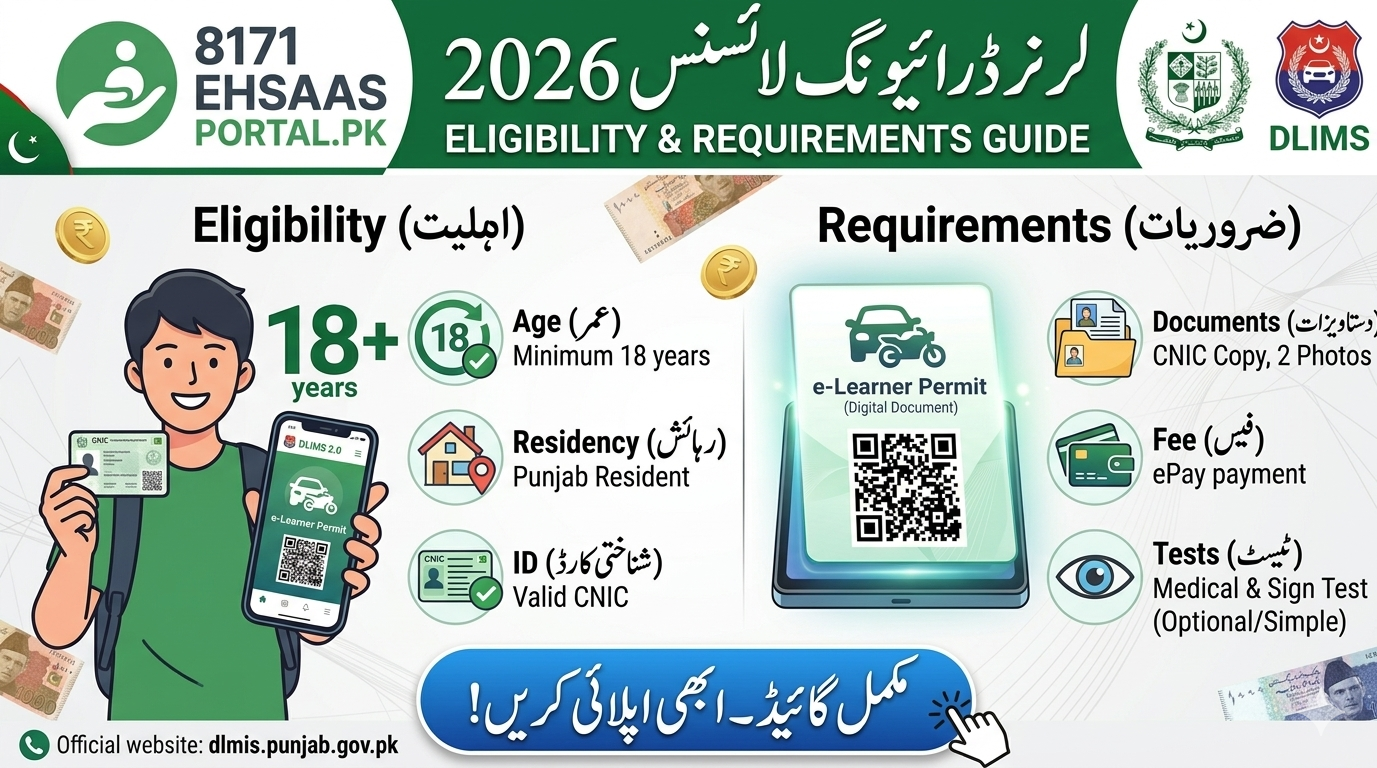
Before you start your application, it is crucial to have your documents ready. The system is strictly linked with the NADRA database, so your CNIC must be valid and not expired. Any mismatch in your data will result in an immediate rejection of the online application.
Bohot se log ye ghalti karte hain ke wo purane ya dhundlay (blurry) documents upload kar dete hain. Hamesha koshish karein ke original CNIC ki saaf photo scan kar ke rakhein.
Quick Verification Dashboard: 2026 Requirements
| Feature | Official 2026 Standard | Notes & Exceptions |
| Official Portal | DLIMS 2.0 (Punjab) | All Punjab cities covered |
| Minimum Age | 18 Years | 16 Years for Motorcycle only |
| Primary ID | Valid NADRA CNIC | NICOP also accepted for Overseas |
| Photo Specs | Blue/White Background | Passport size (Max 500KB) |
| Medical Proof | Age 50+ Only | Medical certificate required |
| Digital Output | E-Learner PDF | Valid as original document |
| Payment Mode | ePay / Mobile Apps | PSID based instant verification |
How to Create an Account on the DLIMS Official Portal
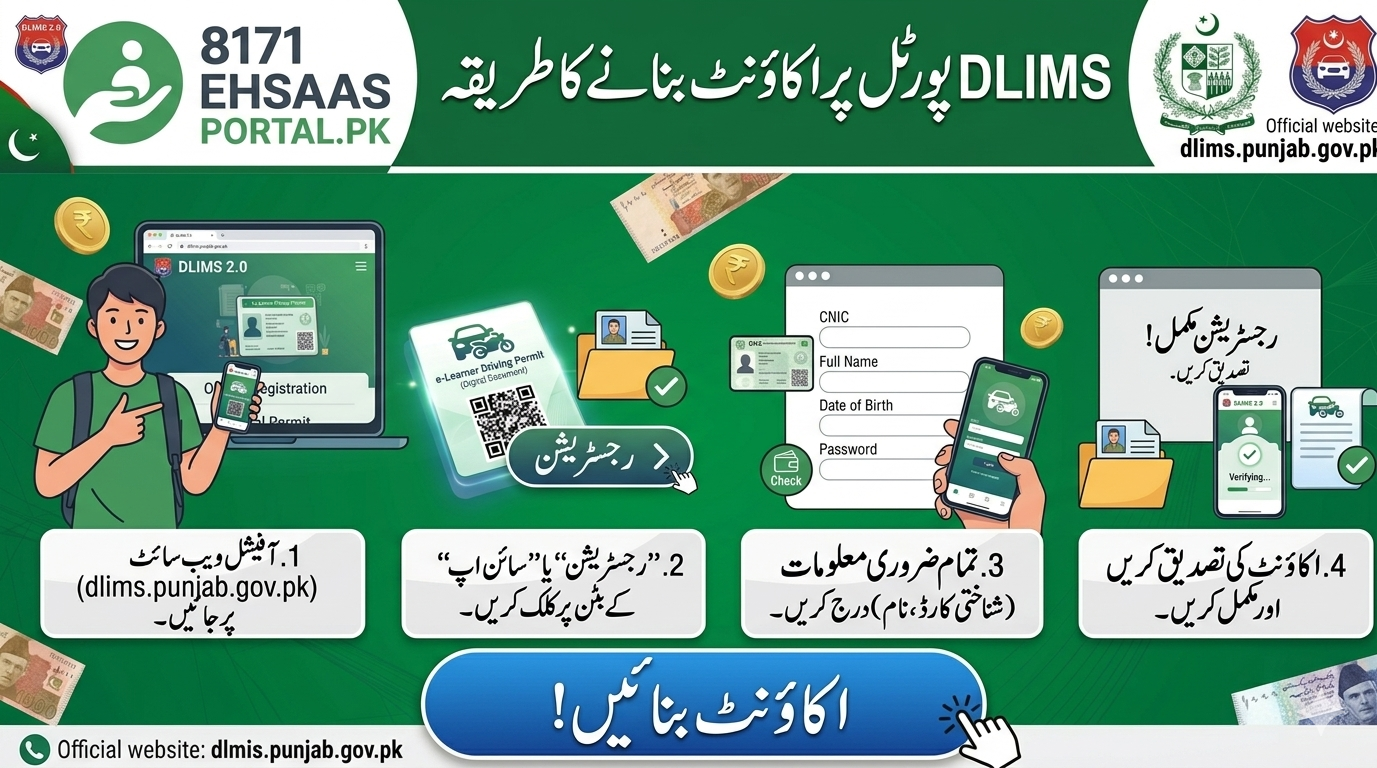
To begin your journey, you must register a personal account on the DLIMS 2.0 website. This account will act as your permanent dashboard where you can track your application, pay fees, and even apply for a permanent license later once your learner period is over.
Creating an account is straightforward. You only need a working email address and a mobile number registered in your name. Once you sign up, you will receive an activation link or code. Actually, if you don’t see the email, always check your “Spam” folder, as government automated emails sometimes land there.
Step-by-Step: How to Apply for Learner Driving License Online
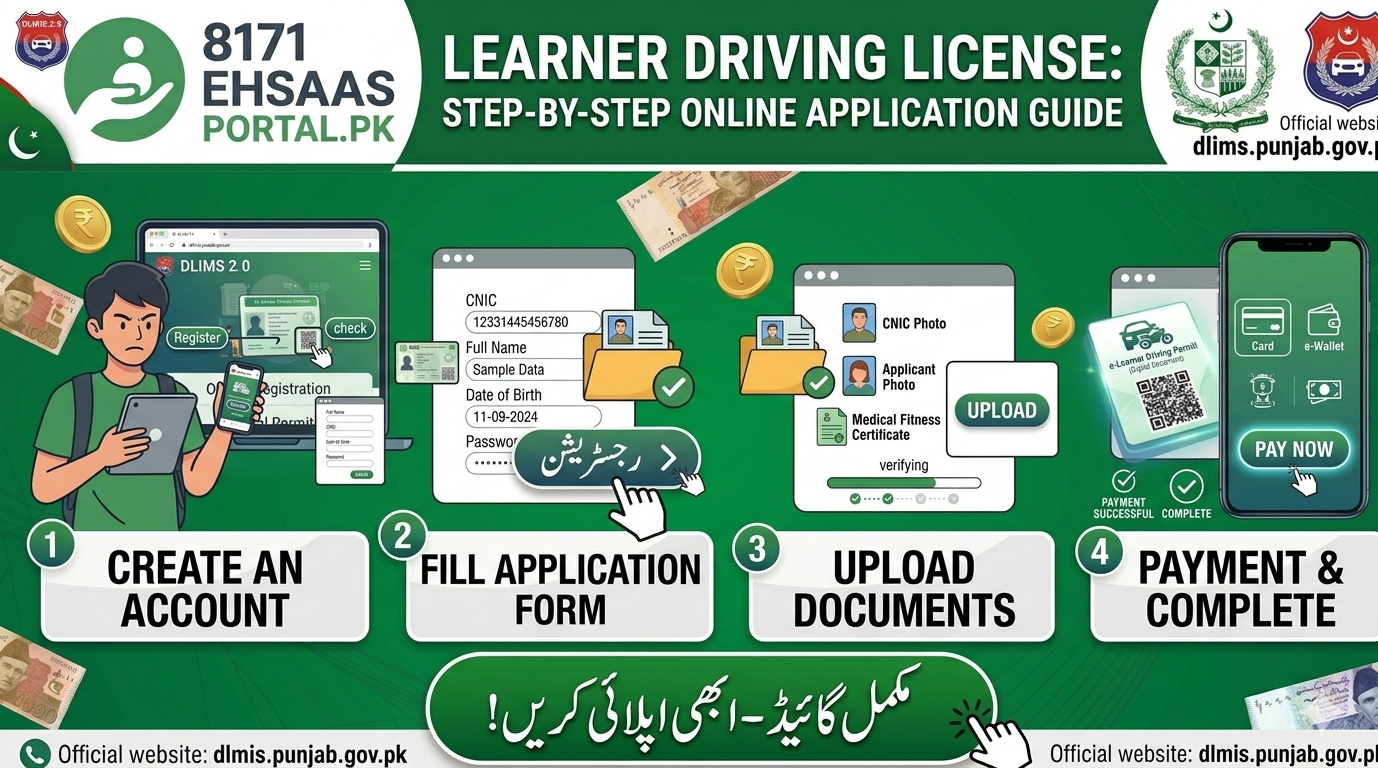
Applying for the permit involves filling out a simple digital form that asks for your personal and vehicle details. You must be very careful while selecting your vehicle category (motorcycle, car, or LTV) because you cannot change this once the fee is paid.
Follow these exact steps:
-
Log in to your DLIMS account.
-
From the sidebar, select the “New Learner” option.
-
Enter your CNIC number and basic details.
-
Upload your clear passport-size picture and CNIC front/back images.

-
Choose your vehicle category (e.g., Motorcycle/Car).
-
Submit the form to generate your unique PSID number.

Generating PSID and Paying Fees via E-Pay
The PSID (Payment Sales ID) is a 17-digit code that allows you to pay your license fee through any mobile banking app or ATM. In 2026, the DLIMS system no longer accepts cash payments at the counter for online learner permits; everything is digital.
Open your JazzCash, EasyPaisa, or banking app, go to the “Government Payments” or “e-Pay Punjab” section, and enter your PSID. Within seconds of payment, your status on the DLIMS portal will change from “Pending” to “Paid.” This instant synchronization is the biggest advantage of the 2.0 system.
How to Download and Print Your Digital Learner License
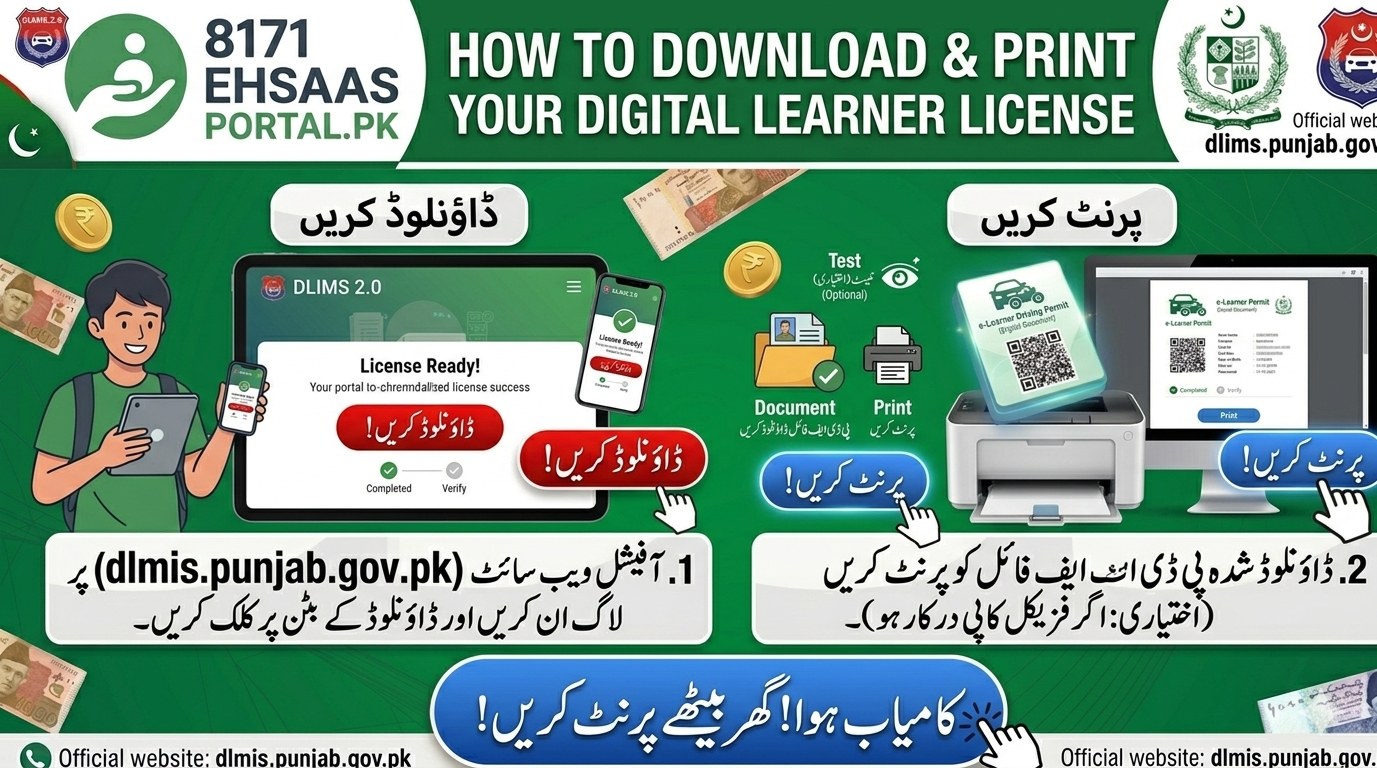
Once your payment is confirmed, your digital e-learner permit is generated immediately. You don’t have to wait for a courier or visit any office. Simply click the ‘Print’ button on your dashboard to save the permit as a PDF on your phone.
Actually, you don’t even need a hard copy anymore. In 2026, traffic wardens are authorized to accept the digital PDF on your mobile screen during checking. However, keeping a printed copy in your vehicle’s dashboard is a smart move just in case your phone battery dies or you face network issues.
Learner License Fees for Car, Jeep, and Motorcycle
The fee structure for 2026 has been updated to reflect the new processing charges. While learner licenses used to be very cheap, the government has slightly adjusted the rates to fund the digital infrastructure and provide better traffic management services across the province.
Current estimated fees for a 6-month permit:
-
Motorcycle: Rs. 500
-
Car / Jeep: Rs. 500
-
Combined (M.Cycle + Car): Rs. 1000
-
LTV (Commercial): Rs. 1000
Note: These prices include the NADRA verification fee and digital processing charges.
Troubleshooting: Solving Image Upload and Technical Errors
Many users complain that the DLIMS website becomes stuck or shows an “Upload Error” when they try to attach their photos. This is usually due to the file size being too large or the image format not being supported by the government’s server.
To fix the issue, ensure your image is in JPG format and the size is under 500KB. If the website feels slow, try using a different browser like Google Chrome or clear your cache. Also, if your “Record is not found,” please double-check that you haven’t recently applied for a CNIC renewal, as NADRA may take a few days to update the backend.
Medical Fitness Rules for Older Applicants (Age 50+)
If you are over 50 years of age, the online system will require you to upload a scanned medical fitness certificate. This is a mandatory safety rule to ensure that senior drivers have adequate vision and physical health to operate a vehicle on busy Pakistani roads.
You can download the medical form from the DLIMS website, get it signed by any registered medical practitioner (MBBS doctor), and then upload the scanned copy. Without this document, the “Submit” button will remain greyed out for applicants in this age bracket.
Next Steps: Permanent License After 42 Days
Getting your learner permit is only the first step. This permit is valid for 6 months, but you can only apply for a permanent driving license after a 42-day waiting period. This time is intended for you to practice your driving skills under the supervision of a licensed driver.
Once the 42 days are up, you can book an appointment for your practical driving test and road sign test through the same DLIMS portal. Don’t let your learner expire! If you fail to obtain your permanent license within 6 months, you will be required to restart the entire learner process from the beginning.
Frequently Asked Questions (FAQ)
1. Can I drive alone with a learner license?
No, you must have a person in the passenger seat who holds a valid permanent driving license.. Also, you must display an “L” sign on your front and rear windscreens.
2. Is the online learner license valid across Pakistan?
Yes, a learner permit issued by DLIMS Punjab is legally recognized by traffic police across all provinces of Pakistan.
3. What if I fail to pay the PSID within 24 hours?
If the PSID expires, your application will be cancelled. You will need to start a “New Application” to generate a fresh PSID for payment.
4. Can I apply for an international license with a learner?
No, you must possess a valid permanent driving license for at least six months before you can apply for an International Driving Permit.
5. How can I renew my expired learner license?
You can log in to your DLIMS account and select the “Renewal” option. You will have to pay the fee again to get a fresh 6-month validity.
